Every email list quietly fills with people who no longer read, click, or buy. They signed up once, then drifted away, and they now sit on your list doing nothing except dragging down your engagement rates. An email sunset policy is the written rule that decides when those subscribers get one last chance to stay, and when they leave your list for good. Done well, it protects your sender reputation, cuts wasted spend, and makes every campaign you send perform better for the subscribers who actually want it.
Here is the short answer. Define inactive as no meaningful engagement for a set window that fits your sending frequency, usually 90 to 180 days without an open or a click and without a purchase. Run a short re-engagement sequence of two or three emails over two to four weeks, offering a preference center choice and a clear stay-or-go decision. Then suppress or remove everyone who stays silent, keep a suppression record so they never get re-added by accident, and repeat the cycle every quarter for frequent senders and every six months for monthly senders. That is the whole email sunset policy in one paragraph, and this guide gives you the thresholds, the sequence, the platform steps, and the mistakes to avoid.
The stakes are higher than list size vanity. Mailbox providers judge you on engagement, and Gmail, Yahoo, and Outlook all reward senders whose mail gets opened and clicked while pushing mail from low-engagement senders toward spam. A list padded with dead addresses also costs real money, because most email platforms charge by contact count. Removing inactive subscribers feels like losing audience, but it is really the opposite: you stop paying to damage your own reputation.
What Is an Email Sunset Policy
An email sunset policy is a documented rule for retiring subscribers who stop engaging with your mail. It answers three questions in advance, so the decision is never made in a panic after a bad campaign: how long must a subscriber stay silent before they count as inactive, what re-engagement attempt do they get, and what happens when that attempt fails. The policy usually ends in one of three outcomes: the subscriber re-engages and returns to the active list, the subscriber updates preferences and moves to a lower-frequency segment, or the subscriber is suppressed or removed from marketing mail.
Sunsetting is not the same as deleting a customer record. In most platforms, suppressing or archiving a contact stops marketing mail while keeping order history and profile data intact. Deleting, by contrast, erases the record, and in some platforms it makes re-import impossible without a fresh opt-in. The distinction matters for compliance and for customer service, so your policy should name which outcome you use and why. Suppression is the safer default for most teams, because it is reversible if a subscriber returns through a signup form, while still stopping the sends that hurt deliverability.
A sunset policy also differs from one-off list cleaning. List cleaning is an event, usually a manual purge before a big launch. A sunset policy is a system, usually an automated flow that moves subscribers through stages on a schedule. The system version wins, because inactive subscribers arrive every week, not once a year, and a policy that runs continuously keeps the list healthy without a quarterly crisis.
Sunsetting is not losing subscribers. It is protecting the subscribers you still have, by refusing to let dead addresses speak for your sender reputation.
Why Inactive Subscribers Hurt Deliverability

Mailbox providers cannot read your intentions, so they read your engagement signals instead. When a large share of your sends goes unopened, unclicked, and unanswered, providers infer that recipients do not want the mail, and inbox placement falls for everyone on the list, including your most loyal readers. Inactive subscribers also raise your complaint risk, because people who forgot they subscribed are more likely to press spam than to hunt for the unsubscribe link. Google measures spam complaints in Postmaster Tools and advises senders to stay below 0.1 percent while never reaching 0.3 percent, under the Gmail sender guidelines and the bulk sender requirements guide for Gmail, Yahoo, and Microsoft.
Dead addresses carry a second, quieter risk: spam traps. A spam trap is an address that never belonged to a real subscriber, or an old address recycled by a provider after abandonment, and mail to it signals poor list hygiene to providers. Google began deleting personal accounts inactive for more than two years in December 2023, which means very old lists now generate hard bounces from addresses that once worked. Sending repeatedly to bounces and traps damages domain reputation in a way that no subject line trick can repair.
The cost side is simpler to measure. If you pay per contact, every inactive subscriber is a line item with zero return. If you send daily, every dead address also consumes sending capacity and skews every metric you use to judge campaigns. Open rates, click rates, and revenue per recipient all look worse than they are, because the denominator includes people who were never going to respond. After a sunset pass, those rates usually rise, not because the content improved, but because the audience being measured is real.
How to Define Inactive Subscribers
There is no universal inactivity threshold, because sending frequency changes what silence means. A daily sender can call 30 days of silence a warning sign, while a monthly newsletter sender should wait far longer before judging anyone, since a monthly subscriber may simply be between issues. The table below gives starting thresholds by frequency, adapted from platform guidance published by Klaviyo and Omnisend. Treat them as starting points, then adjust to your own data.
| Sending frequency | At-risk window | Sunset window | Notes |
|---|---|---|---|
| Daily sends | 30 days without engagement | 60 to 90 days without engagement | Daily silence is a strong signal, so act early |
| 2 to 3 sends per week | 60 days without engagement | 90 to 120 days without engagement | Use clicks, not opens alone, as the test |
| Weekly sends | 90 days without engagement | 120 to 180 days without engagement | Allow a full season of sends before judging |
| Monthly sends | 120 days without engagement | 180 days or more without engagement | Monthly subscribers need the longest grace period |
Engagement itself needs a careful definition. Opens alone are no longer reliable, because Apple Mail Privacy Protection inflates reported opens by pre-loading images, so an open may mean nothing more than an Apple device fetching mail. Clicks are a stronger signal, because a click requires a human action. Purchases, site visits, and replies are stronger still: a subscriber who bought last week but ignored your last five emails is engaged with your business, just not with email, and sunsetting that person would be a mistake. The strongest sunset segments therefore combine signals, for example no opens and no clicks and no purchases and no site activity across the window, rather than relying on any single metric.
Segment before you sunset. Klaviyo guidance divides inactive subscribers into groups that deserve different treatment: never-active subscribers who never engaged at all, unengaged non-buyers who engaged once but never purchased, and unengaged buyers who purchased before going quiet. Never-active addresses need the shortest path to suppression, because there is no relationship to save. Past buyers deserve the full re-engagement effort and a better offer, because their lifetime value justifies it. Seasonal buyers need special care too: a subscriber who buys only at one holiday each year looks inactive for eleven months and then returns, so check purchase history across a full year before sunsetting anyone with a seasonal pattern. Behavioral segmentation of this kind is the same discipline behind the AI email personalization guide, which shows how behavior signals beat blanket rules.
What counts as engagement for a sunset segment
Build your sunset segment from the strongest signals first. A click on any campaign in the window counts. A purchase, a site visit, a reply, or a preference update also counts, and any one of them should pull a subscriber out of the segment automatically. If your platform supports dynamic segments, use them, because a dynamic segment removes people the moment they re-engage, which prevents the embarrassing mistake of sending a goodbye email to someone who clicked yesterday. If you build static lists by export, rebuild them on the day you send, never a week earlier.
The Re-Engagement Sequence: Win Them Back Before You Sunset
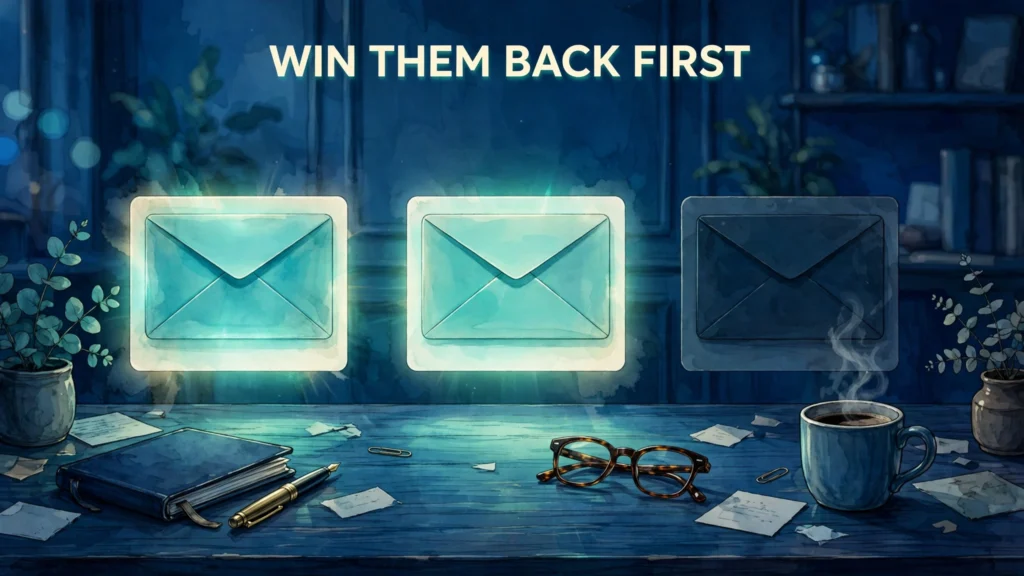
Never sunset a subscriber without a re-engagement attempt. The attempt is partly good manners, since these people gave you permission once, and partly good business, because re-engagement campaigns recover a meaningful share of quiet subscribers. Published practitioner reports put recovery in a wide range, commonly around 5 to 18 percent of a win-back audience, depending on list quality and offer strength. Even a modest recovery matters, because every recovered subscriber is one you do not have to replace through paid acquisition.
Keep the sequence short: two or three emails over two to four weeks. Longer sequences annoy the very people you want to keep and train mailbox providers to see your mail as unwanted. Each email should have one job and one call to action, and the sequence should escalate gently from value to choice, not from discount to bigger discount. The table below gives a proven three-email structure.
| Timing | Job | Call to action | |
|---|---|---|---|
| 1. We miss you | Day 0, on entering the segment | Remind them what they signed up for, with your best recent content | Read the best piece, or browse the newest arrivals |
| 2. Preference check | Day 5 to 7 later | Offer control: fewer emails, different topics, or a pause | Update preferences |
| 3. Last chance | Day 12 to 14 later | State plainly that silence means removal, and ask for one click to stay | Yes, keep me subscribed |
The first email should lead with value, not guilt. Show the single best thing you published recently, or the offer most relevant to that subscriber, and keep the message short. The second email is where most sequences fail by offering nothing new, so make it genuinely useful: a preference center that lets the subscriber choose weekly instead of daily mail, or topics instead of everything, saves many subscribers who are tired, not uninterested. Frequency fatigue is one of the most common causes of inactivity, and a preference choice fixes it without losing the subscriber.
The third email must be honest and direct. Say that this is the last email they will receive unless they click to stay, and make the stay button impossible to miss. Do not bury the message under a sales pitch, and do not send a fourth or fifth last chance, because repeated last chances teach subscribers that your deadlines mean nothing. Anyone who clicks any email in the sequence, updates preferences, or makes a purchase returns to the active list immediately, and the sunset flow should stop for that person at once.
Most subscribers do not leave because they dislike you. They leave because the mail stopped fitting their life. A preference choice saves more subscribers than a bigger discount.
Suppress, Archive, or Delete: Choose the Right Ending
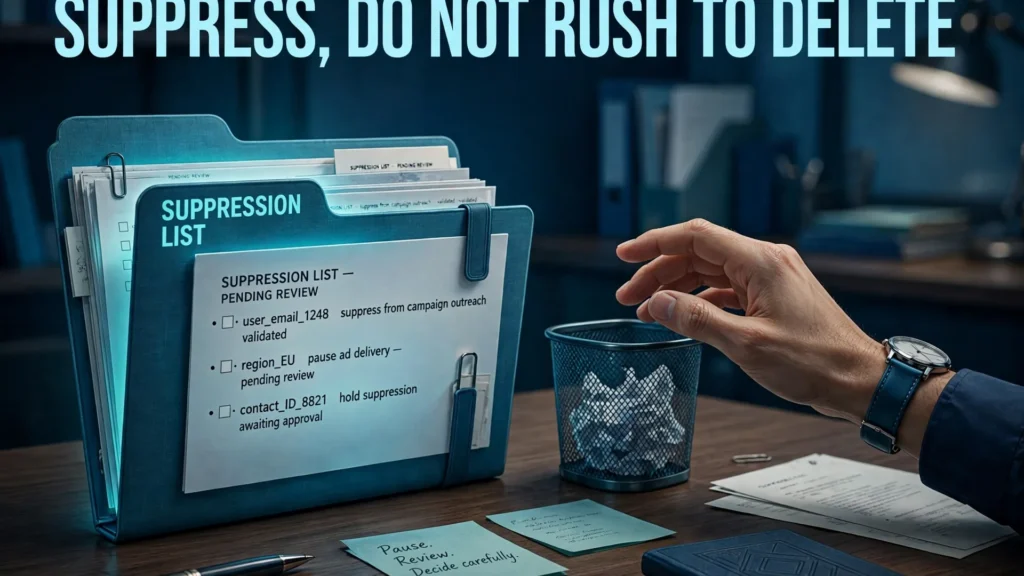
When the re-engagement sequence ends in silence, you still have a choice to make, and the choice has legal and practical consequences. The table below compares the three endings used by major platforms. Suppression is the default recommendation in this guide, because it stops the damage while preserving the record.
| Ending | Marketing mail | Record kept | Can they return | Best for |
|---|---|---|---|---|
| Suppress (unsubscribe, keep record) | Stops | Yes, with suppression flag | Yes, only through a fresh opt-in | Most teams, most lists |
| Archive (Mailchimp style) | Stops | Yes, outside the billable audience | Yes, through a form or unarchive | Cutting platform cost without erasing data |
| Delete permanently | Stops | No, record erased | Only through a fresh opt-in, with re-import blocked on some platforms | Data requests, or addresses you must never mail again |
Suppression protects you in a specific way: if the same address is ever imported again, by a teammate, by a sync, or by an old spreadsheet, the suppression record blocks it from re-entering marketing mail. Without that record, a deleted address can slip back onto the list and restart the whole deliverability problem. Keep the suppression list forever, or at least for as long as you keep any mailing data, and treat it as a permanent do-not-mail file, not as a temporary holding pen. Mailchimp archiving works on the same principle: archived contacts leave the billable audience without losing their data.
There are two cases where deletion is the right call. The first is a direct data deletion request, where privacy law requires erasure. The second is a confirmed spam trap or a hard-bouncing address that will never become a subscriber, where keeping it serves no purpose. For everything else, suppress or archive, and say so in your policy, so future team members do not undo the work by re-importing a cleaned list.
One more protection belongs in the policy: never re-add sunset subscribers in bulk. If a sunset subscriber returns, it must be through their own action, a signup form, a checkout opt-in, or a preference update they initiate. Bulk re-subscription without fresh consent violates the permission that email marketing depends on, and Omnisend guidance states it plainly: a sunset contact can return only by opting in again. Write that rule into the policy, because the temptation to revive a large list before a launch is exactly when it causes the most harm.
How to Build a Sunset Flow in Your Platform
The mechanics differ by platform, but the logic is identical everywhere: a segment that finds quiet subscribers, a flow that sends the re-engagement sequence, and an action that suppresses the non-responders. Start with the segment, using the combined-signal rule from earlier: no opens and no clicks and no purchases and no site activity across your chosen window, with recent subscribers excluded so new signups never enter the flow by mistake.
In Klaviyo, the published sunset guidance builds the flow from that segment, sends a win-back campaign, follows with a sunset email for non-responders, and then suppresses or deletes the addresses that stay silent. Klaviyo sunset flows can use pre-built templates or a custom flow, and the segment updates dynamically, so anyone who re-engages leaves the flow automatically. In Omnisend, the published steps are similar: build the inactive segment, send a reactivation workflow from the pre-made templates or a custom trigger on segment entry, wait 7 to 14 days after the re-engagement message, then bulk unsubscribe the non-responders from a fresh segment filtered on that message. In Mailchimp, the published path is to segment by campaign interaction, sent but not opened, add a date-added guard to protect new subscribers, and then archive the non-responders, which removes them from the billable audience while keeping their data available.
Whatever platform you use, test the flow on yourself before it goes live. Enter a test address into the segment, confirm each email arrives in order, click the stay button, and confirm the flow stops. Then let a second test address run to the end, and confirm the suppression actually happens. A sunset flow that sends the goodbye emails but never suppresses anyone is worse than no flow at all, because it creates the appearance of hygiene while the list keeps decaying. Platform choice matters here as well: the best email marketing platforms guide compares the automation and segmentation depth that makes a sunset flow easy to run.
A simple sunset flow template you can copy
Write the policy as a one-page document your whole team can follow. It needs only six lines: the inactivity definition, the segment rule, the re-engagement sequence with timing, the ending action, the suppression handling rule, and the review schedule. Keep it in the same place as your other email policies, and review it whenever you change sending frequency, switch platforms, or notice a deliverability dip. A policy that lives only in one marketer head disappears when that marketer leaves.
Mistakes That Cost You Subscribers
The most expensive sunset mistake is sunsetting on opens alone. Apple Mail Privacy Protection means a reported open may be a machine, not a person, and the reverse is also true: a subscriber who reads in plain text or blocks images may never register an open at all, while still clicking, buying, and loving your mail. Judge on clicks, purchases, and site activity first, and treat opens as a supporting signal, never as the verdict.
The second mistake is ignoring purchase history. A customer who bought 120 days ago and never opens mail is still a customer, and a goodbye email to that person reads as ingratitude, not hygiene. Protect recent buyers from the segment, protect high-value customers with a longer window and a personal offer, and check seasonal patterns before acting. The cold email deliverability playbook makes the same point from the outreach side: signal-based targeting beats blanket rules, because a single strong signal, like a recent purchase, outweighs months of email silence.
The third mistake is sunsetting too aggressively at the start. If you have never run a sunset policy, your first pass will surface a large inactive segment, and removing all of it at once can feel reckless. Start with the oldest and quietest group, the never-active subscribers, run the full sequence for them, and measure the recovery and the deliverability change before moving to the next group. You can always tighten the window later, but you cannot easily recover subscribers you removed in a rush, and a staged rollout gives you data to defend the policy internally.
The fourth mistake is forgetting the preference center. Many inactive subscribers are not uninterested, they are overwhelmed, and a single choice, weekly instead of daily, or topics instead of everything, brings them back. If your re-engagement sequence offers only stay or go, you lose the middle group that would have stayed on lighter terms. Build the preference center before you build the sunset flow, because the flow needs somewhere to send people besides the exit.
How Often to Run a Sunset Policy
Frequency follows sending volume. Omnisend guidance recommends a quarterly review for high-volume senders who mail daily or weekly, and a semi-annual review for monthly senders. That cadence works as a manual audit schedule, but an automated flow is better, because it processes subscribers continuously instead of in batches. With automation in place, the quarterly review becomes a check that the flow is working, not a cleanup event: confirm the segment size is stable, confirm suppression is happening, and confirm recovered subscribers are staying engaged.
Watch three numbers after each cycle. First, the recovery rate: what share of the win-back audience clicked, updated preferences, or purchased. Second, the list change: how many subscribers left marketing mail, and how the active list size moved. Third, the deliverability change: open and click rates on the active list, spam complaints in Postmaster Tools or your platform dashboard, and bounce rates on the next few campaigns. If recovery is near zero, your win-back offer or your segment definition needs work. If complaints stay high after a full cycle, the problem may be acquisition, not sunsetting, because new low-intent signups keep replacing the subscribers you just cleaned.
Sunsetting also pairs naturally with the rest of your hygiene routine. Verify new addresses at signup, remove hard bounces immediately, and process unsubscribes and complaints the day they arrive, not at the quarterly review. A sunset policy is the last line of defense for engagement, not the first, and it works best when the front door, signup quality and bounce handling, is already tight.
Conclusion
An email sunset policy is a small document with an outsized effect on deliverability, cost, and measurement. Define inactive with clicks, purchases, and site activity, not opens alone. Give every quiet subscriber a short, honest re-engagement sequence with a real preference choice. Suppress the non-responders, keep the suppression record permanently, and never re-add them in bulk. Run the cycle every quarter if you mail often, and every six months if you mail monthly. The list that remains will be smaller, and it will be the list that actually reads, clicks, and buys, which is the only list worth paying for, and it is a large part of why email marketing still wins on return.
FAQs
What is an email sunset policy?
An email sunset policy is a written rule for retiring subscribers who stop engaging with your mail. It defines how long a subscriber must stay silent before they count as inactive, what re-engagement attempt they receive, and what happens when that attempt fails. Most policies end with the subscriber re-engaging, choosing a lower frequency, or being suppressed or removed from marketing mail.
When should you remove inactive subscribers?
Remove inactive subscribers after they ignore a full re-engagement sequence, not after a single quiet month. First define inactivity for your sending frequency, then send two or three win-back emails over two to four weeks. Anyone who stays silent through the whole sequence, with no opens, clicks, purchases, or site activity, should leave marketing mail.
How long should a subscriber be inactive before you sunset them?
It depends on how often you mail. Daily senders can use a 60 to 90 day sunset window, senders mailing two or three times per week can use 90 to 120 days, weekly senders can use 120 to 180 days, and monthly senders should wait 180 days or more. Always judge on clicks, purchases, and site activity, not on opens alone, because Apple Mail Privacy Protection inflates open data.
Does list cleaning improve deliverability?
Yes. Removing inactive subscribers raises engagement rates, lowers spam complaints, and reduces bounces from abandoned addresses, all signals mailbox providers use for inbox placement. It also cuts platform cost, because most email platforms charge by contact count. After a sunset pass, open and click rates usually rise because the audience being measured is real.
Should you delete or suppress inactive subscribers?
Suppress in most cases. Suppression stops marketing mail while keeping a record that blocks the address from being re-added by a later import. Archiving in Mailchimp works the same way for cost purposes. Delete only for a direct data deletion request or for a confirmed spam trap or hard-bouncing address. Never bulk re-add sunset subscribers without a fresh opt-in.
How often should you run a sunset policy?
Run it quarterly if you mail daily or weekly, and every six months if you mail monthly. An automated sunset flow is better than a manual purge, because it processes quiet subscribers continuously. Use the quarterly or semi-annual review to confirm the flow is working: check recovery rate, suppression counts, and spam complaints on the next campaigns.