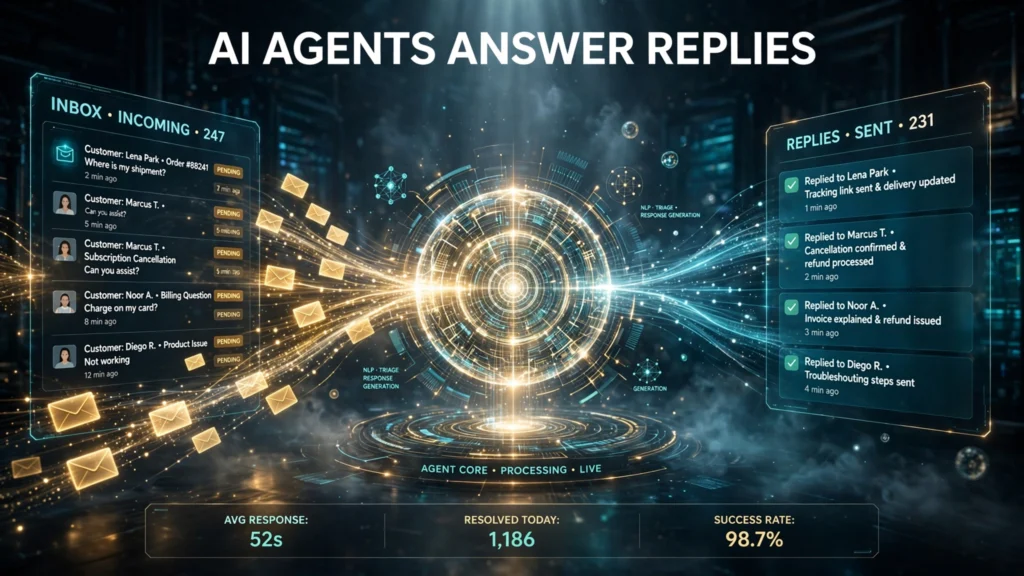
EngageLab Agent Email is AI infrastructure that lets AI agents receive, understand and answer inbound customer email replies at scale. Aurora Mobile Limited announced it on October 23, 2026 for EngageLab, the AI-first customer engagement platform of the company. The launch matters because it targets the part of email marketing that most AI tools ignore: everything that happens after the send button.
Here is the short answer. Most AI email tools write messages. EngageLab Agent Email handles the reply. When a customer answers a campaign or an automated message, an inbound gateway captures the reply, converts it into structured text an agent can read, and keeps the exchange threaded in the original conversation in Gmail and Outlook. The agent grounds answers in the private knowledge base of the company and pushes structured summaries and qualified intent signals into CRM systems. The product is available now to enterprise customers. No pricing, reply volume or accuracy figures have been published, and that gap shapes every buying decision in this guide.
This guide explains how EngageLab Agent Email works, the three jobs Aurora Mobile names for it, what the launch leaves unpublished, and how a team should set human approval rules before any agent answers a customer alone. Every product fact comes from the official announcement or from independent coverage of the launch, and anything the sources do not confirm is labelled as unpublished rather than filled in.
EngageLab Agent Email: The Short Answer for Busy Teams
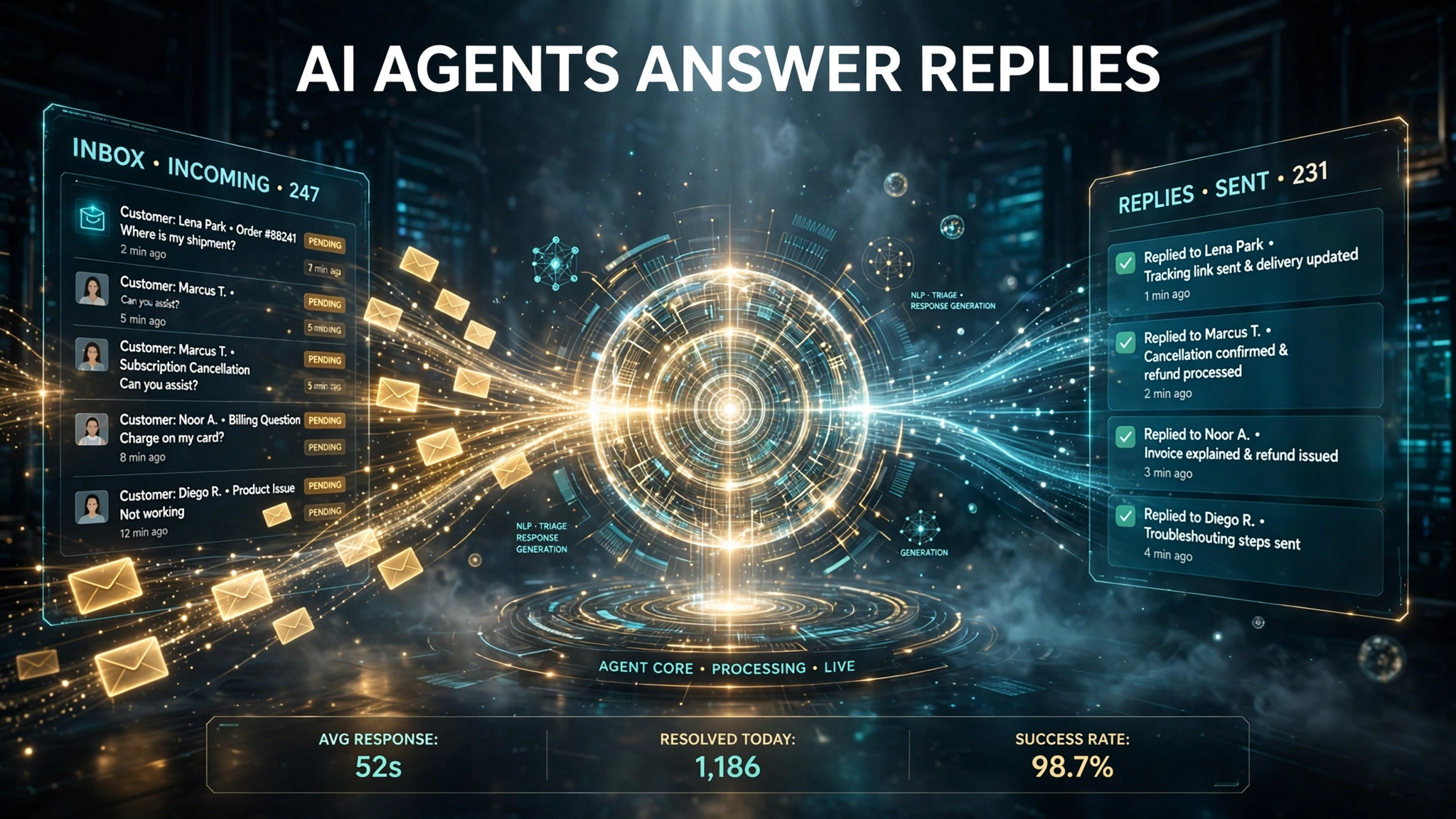
EngageLab Agent Email provides the receive, send and manage infrastructure purpose built for AI agents. That three word description is the whole product in one line. The receive side captures inbound replies. The send side lets the agent answer inside the same thread. The manage side keeps multi-turn conversations organized so a reply never becomes a separate orphan message in the inbox of the customer.
The problem it solves is easy to recognize. A team sends a welcome email, a renewal notice or a cart recovery message, and then the reply inbox sits unstaffed. Some teams send lifecycle mail from a no-reply address precisely because nobody owns the inbox. The result is lost revenue: a customer who asks about a discount, a refund or a delivery date gets silence, and the campaign that created the question gets no credit for the answer. Agent Email gives that inbox an owner, and the owner is an AI agent that works around the clock.
The table below contrasts the post-send workflow before Agent Email with the workflow the launch describes.
| Post-send step | Before Agent Email | With EngageLab Agent Email |
|---|---|---|
| Reply capture | Replies land in a shared inbox or a no-reply dead end | Inbound gateway captures every reply to a campaign or automated message |
| Reply reading | A person reads and triages each reply by hand | Gateway converts the reply into structured text an agent can read |
| Conversation context | Context lives in scattered threads and inboxes | Standard headers thread multi-turn exchanges in the original conversation |
| Answer source | Whoever is on duty searches docs and past tickets | Agent grounds answers in the private knowledge base of the company |
| CRM record | Notes typed by hand, if the reply is logged at all | Structured summaries and qualified intent signals pushed into CRM systems |
| Coverage hours | Business hours of the support team | Round-the-clock response across time zones |
Two things in that table deserve emphasis. First, the CRM signal is the strategic piece. A reply is not only a message to answer, it is intent data: a customer who asks about pricing is a sales lead, a customer who asks about cancellation is a retention risk, and a customer who asks about a feature is a product signal. Pushing qualified intent signals into CRM systems turns the reply inbox into a data source for sales and product teams, not only a cost center for support. Second, the threading is the trust piece. A reply that breaks out of the original conversation looks like a new cold message to the customer and to spam filters. Keeping the exchange folded into the original thread preserves context for the customer and for the agent.
How Does EngageLab Agent Email Work?
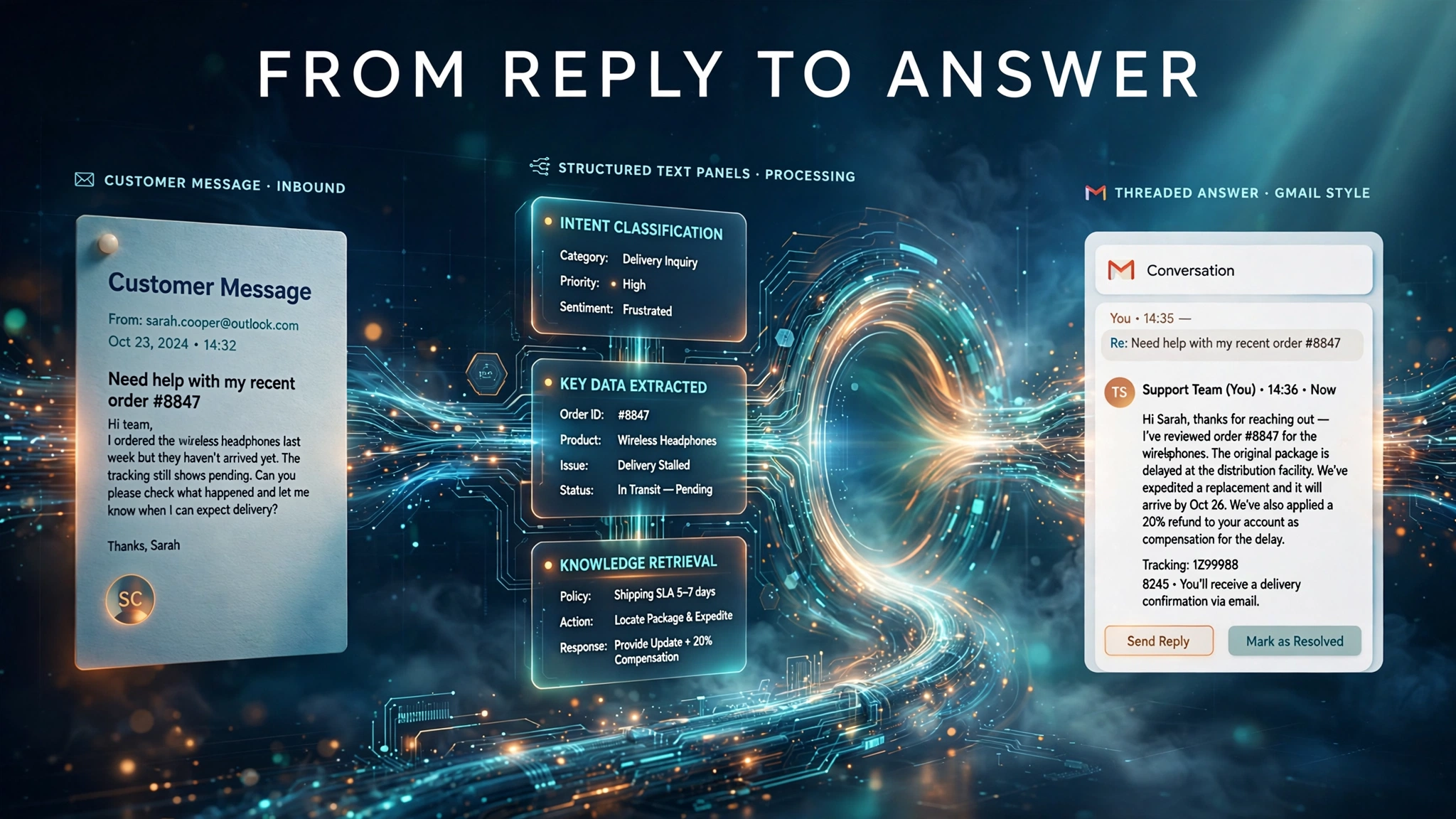
The launch describes four moving parts: an inbound gateway, standard threading headers, knowledge base grounding with CRM output, and a sending domain plus developer tool layer. Each part solves a different failure mode of reply handling.
The inbound gateway turns replies into agent readable text
When a recipient replies to a campaign or an automated message, the inbound gateway captures the message and converts it into structured text an agent can read. That conversion step is the bridge between email and AI. Raw email is messy: quoted history, signatures, disclaimers, HTML parts and attachments. An agent cannot reason well over raw MIME. Structured text gives the agent a clean input: who wrote, what they asked, and what came before. Teams evaluating the product should test this conversion on their own worst replies, including long quoted threads, forwarded messages and replies written on mobile devices, because conversion quality decides answer quality.
Standard headers keep every turn in one conversation
Multi-turn conversations are threaded with the standard Message-ID, In-Reply-To and References headers, so replies stay folded into the original conversation in Gmail and Outlook. These headers are part of the Internet Message Format standard, which defines how mail clients group messages into threads. The practical benefit is continuity: the agent sees the full exchange, the customer sees one conversation instead of five separate messages, and the thread keeps the deliverability history of the original send. Threading also protects the sender reputation of the domain, because a reply inside an engaged thread behaves differently from a fresh outbound message in the eyes of inbox providers.
Answers come from the private knowledge base, and intent goes to the CRM
Agents ground answers in the private knowledge base of the company, which means answers draw on internal documentation rather than on general model knowledge. Grounding is what separates a reply agent from a generic chatbot: the agent should quote the return policy of the company, not a plausible sounding policy from the open web. After answering, the agent pushes structured summaries and qualified intent signals into CRM systems. That output design matters for measurement. A team can track which replies became meetings, which became refunds, and which became churn warnings, all without manual tagging. For a deeper look at how agent driven email changes campaign workflows, see the agentic AI in email marketing guide.
Sending domains and developer tools lower the setup cost
Agent Email supports a high-reputation shared sending domain for teams without DNS, SPF, DKIM and DMARC resources, plus custom domains with a smooth upgrade path between the two, as described on the EngageLab platform site. The shared domain option is the cold start path: a team entering a new market can send and receive without first building domain reputation or DNS records. The custom domain path is the brand path: replies come from the domain of the company, which customers trust and which the team controls. The upgrade path between the two means a team can start shared and move to a custom domain without rebuilding the agent setup. Whichever domain path a team picks, the Gmail sender guidelines require bulk senders to authenticate with SPF, DKIM and DMARC.
On the tooling side, Agent Email is natively compatible with developer tools Codex, Cursor, Claude Code, OpenClaw and Hermes. Native compatibility means engineering teams can build, test and deploy reply agents inside the tools they already use, rather than learning a separate console. That choice signals the intended buyer: technical and growth teams who deploy agents as code, not only marketing teams who configure a dashboard. For teams still building their sending foundation, the bulk sender requirements guide covers the Gmail, Yahoo and Microsoft authentication rules that apply to any sending domain, shared or custom.
Three Jobs for Reply Agents
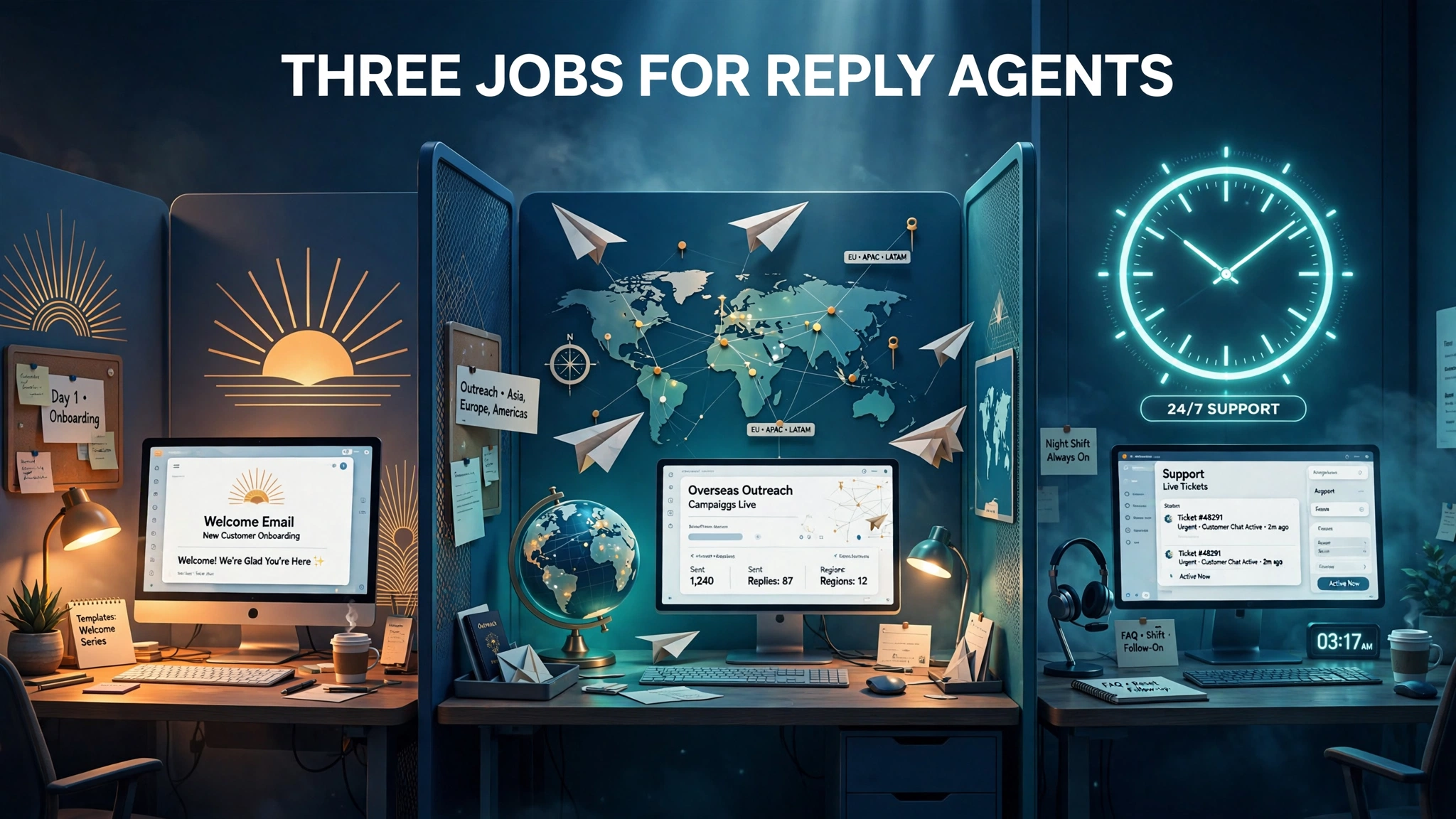
Aurora Mobile positions Agent Email for three immediate uses. Each one maps to a different reply inbox, a different cost of delay, and a different risk profile.
Job 1: Close the reply loop on lifecycle emails
The first use is closing the reply loop on lifecycle messages such as welcome, renewal and cart-recovery emails. These are the highest value replies in most programs, because the customer already showed intent by opening, clicking or buying. A welcome reply often asks a setup question. A renewal reply often asks about price or cancellation. A cart-recovery reply often asks about a discount, shipping or returns. Each of those questions is a conversion moment, and a slow answer loses the moment. An agent that answers in minutes, grounded in the knowledge base of the company, protects revenue that the campaign already created. The risk here is moderate: lifecycle replies are bounded topics with known answers, which makes them the safest pilot for a reply agent.
Job 2: Cold outreach into overseas markets on a shared domain
The second use is zero-config cold-start outreach for companies entering overseas markets using the shared sending domain. A company entering a new country faces a cold start problem: no local domain reputation, no local sending history, and no team on the ground to answer replies in the local time zone. The shared domain removes the reputation setup, and the agent removes the time zone gap by answering replies as they arrive. This is also the highest risk use of the three, because cold outreach replies include objections, complaints and unsubscribe requests, and an agent that mishandles a complaint in a new market can damage the brand before it is established. The cold email guide explains the deliverability and engagement rules that decide whether cold outreach lands in the inbox at all, and those rules apply with full force to agent answered replies.
Job 3: Round-the-clock technical and sales response
The third use is 24/7 cross-time-zone technical and sales response grounded in internal documentation. Support and sales teams lose the most to time zones: a question sent at midnight in one region waits until morning in another, and by morning the customer has moved on or gone to a competitor. An agent grounded in internal documentation can answer technical questions and qualify sales interest at any hour, then hand a structured summary to the human team with the morning queue. The value here is coverage, not replacement. The agent handles the first answer and the triage, and people handle the cases the agent flags as complex, sensitive or high value.
Pilot order: start with lifecycle replies, where topics are bounded and answers are known. Add technical and sales response second, where coverage is the win. Treat overseas cold outreach as the third phase, after the approval rules below have been proven on lower risk traffic.
What EngageLab Agent Email Does Not Publish
A launch announcement tells you what a vendor wants you to know. The gaps tell you what to ask before you sign. Aurora Mobile has published no pricing, no reply volume figures and no accuracy figures for Agent Email, and the official announcement itself names no price, volume or accuracy figure, a gap independent coverage of the launch confirms. The table below separates published facts from unpublished facts so the buying conversation starts from evidence, not assumption.
| Fact area | Status at launch | What it means for buyers |
|---|---|---|
| Launch date and vendor | Published: October 23, 2026, Aurora Mobile Limited (NASDAQ: JG), EngageLab platform | Vendor identity and timing are confirmed |
| Core mechanism | Published: inbound gateway, structured text, standard threading headers, knowledge base grounding, CRM intent signals | Architecture can be evaluated in a pilot |
| Sending domains | Published: high-reputation shared domain plus custom domains with an upgrade path | Teams can start without DNS resources |
| Developer tools | Published: Codex, Cursor, Claude Code, OpenClaw, Hermes | Engineering fit can be checked against the current stack |
| Availability | Published: available now to enterprise customers | Access is enterprise gated, not self serve at launch |
| Pricing | Not published | Budget cannot be set from public information; request a quote |
| Reply volumes | Not published | Throughput at scale is unproven in public; test with real traffic |
| Accuracy figures | Not published | Answer quality must be measured in a pilot, not assumed |
The missing accuracy figure is the most important gap. A reply agent makes statements on behalf of the brand, and a wrong statement about price, refunds or contract terms becomes a commitment the team must honor. Without a published accuracy benchmark, the only honest way to judge answer quality is a controlled pilot: run the agent on historical replies, grade the answers against human answers, and measure the error rate by topic before any live deployment. The missing pricing figure is the second gap. Enterprise availability with no published price means the cost conversation happens in sales calls, and teams should ask whether pricing follows seats, reply volume, agent count or CRM events, because each model changes the total cost at scale.
Human Approval Stays in Charge: Risks and Controls
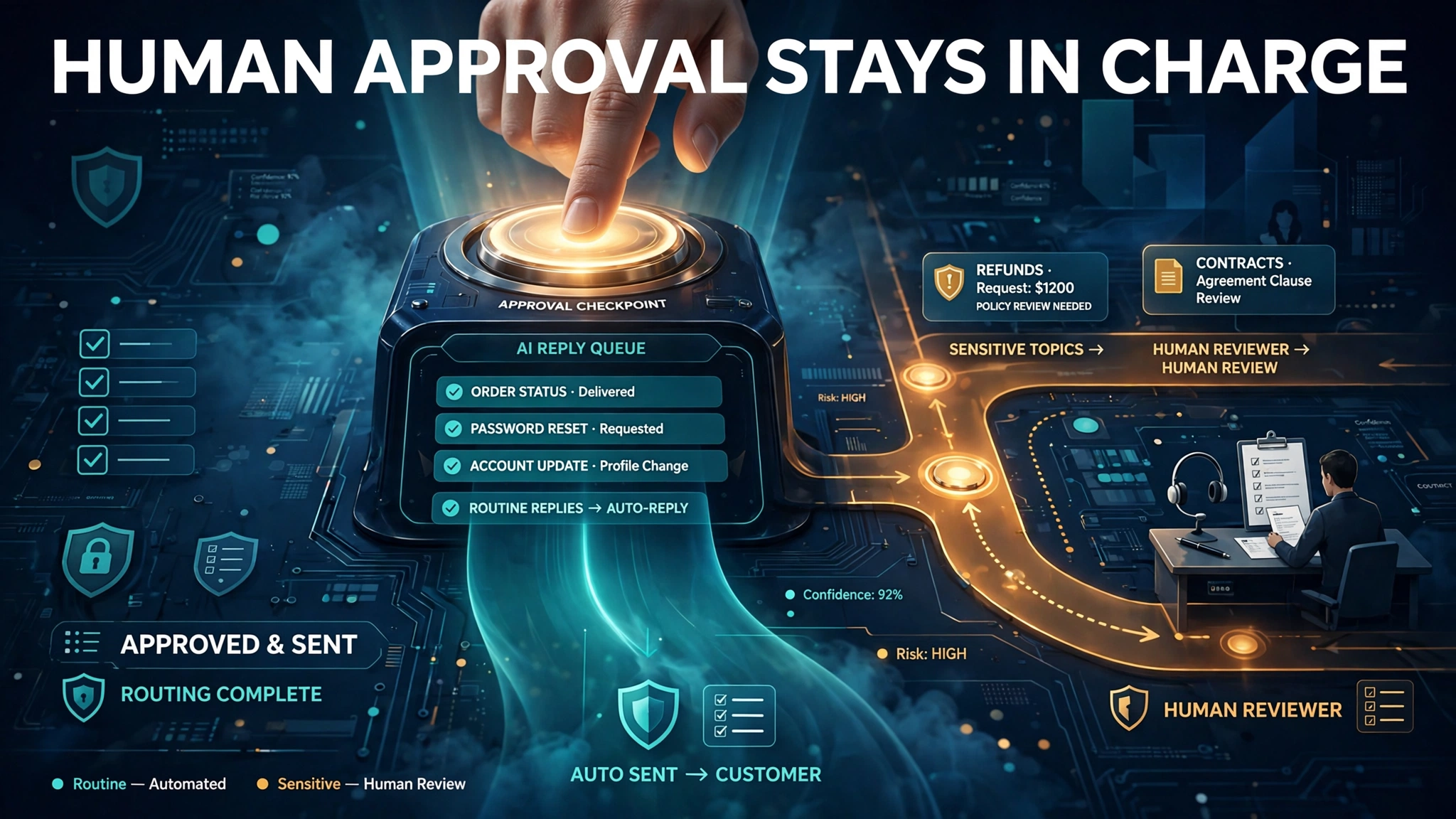
The release describes no approval step, so human-in-the-loop design falls to the buyer. That single sentence is the most consequential detail in the launch for any team that answers customers. The vendor provides the infrastructure. The buyer decides which questions the agent answers alone and which route to a person. Get that boundary wrong and the agent will confidently answer the one question it should never have touched.
Topics that must route to a person
Before an agent answers renewal or cart-recovery replies, list the topics that route to a person. Price changes, refunds and contract terms are the obvious three, because each one creates a financial or legal commitment. Add cancellation requests, data deletion requests, legal threats, press inquiries and any message that mentions a regulator or a lawyer. Add any reply where the customer reports harm, fraud or a security incident. The rule is simple: if a wrong answer costs money, creates liability or damages trust beyond repair, a person answers. The agent can draft, summarize and suggest, but the send decision stays human on those topics.
Brand voice and commitment risk
An agent that answers well on routine questions can still fail on tone. A refund refusal written too bluntly, a discount promise made too freely, or a technical answer that overpromises a fix all create real cost. The control is a written answer policy: approved phrasing for common refusals, hard limits on discounts the agent may offer, and a ban list of claims the agent must never make about roadmaps, guarantees or third parties. Review a sample of live answers every week in the first month, and keep the sample review in place until the error rate by topic is stable and low. The emails for AI inboxes guide shows how AI retelling changes what readers actually see, and the same lesson applies here: the agent retelling of the policy of the company is what the customer believes.
Deliverability and authentication rules still apply
Agent answered replies are still email, and the same authentication rules apply. Bulk senders must set up SPF, DKIM and DMARC, keep complaint rates low, and follow the Gmail sender guidelines, which require bulk senders to authenticate with all three methods and keep spam rates reported in Postmaster Tools below 0.3 percent. A shared sending domain borrows the reputation of the vendor, which helps at cold start but also means the reputation of other senders on the same domain affects delivery. Teams should ask how the shared domain is monitored, what happens when another sender damages it, and how quickly a team can move to a custom domain if delivery drops. On a custom domain, the team owns authentication and reputation outright, which is more work and more control.
| Reply topic | Agent answers alone | Route to a person |
|---|---|---|
| Setup and how-to questions | Yes, grounded in internal documentation | Only if the answer needs account specific data |
| Order status and shipping | Yes, with live order data where connected | If the order is lost, damaged or disputed |
| Discount requests | Yes, within a written discount limit | Above the limit, or bundled with a complaint |
| Price changes | No | Always, because the answer is a commercial commitment |
| Refunds and cancellations | No for the decision; agent may draft and summarize | Always for approval and the final message |
| Contract terms | No | Always, because the answer carries legal weight |
| Complaints and legal threats | No | Immediately, with the full thread attached |
Control rule: the agent earns autonomy topic by topic. A topic graduates to agent-only answers only after a measured pilot shows low errors on that topic. No topic graduates on the strength of a vendor demo.
EngageLab Agent Email Verdict: Who Should Pilot It First

EngageLab Agent Email fits teams with a specific shape of problem: high reply volume on lifecycle mail, a knowledge base that already documents the answers, and a CRM that can receive intent signals. If replies already flow into a shared inbox and sit unanswered for hours, the product attacks a real cost. If the knowledge base is thin or out of date, the agent will answer confidently from weak material, and the pilot should start with documentation cleanup, not with the agent.
Enterprise availability shapes the pilot audience. Small teams without enterprise budgets should watch the launch and test the concepts on their own reply workflow: measure reply volume by topic, time to first answer, and the share of replies that become sales or support outcomes. Those three numbers make the business case whenever pricing becomes public or the product opens beyond enterprise customers. Larger teams should request a pilot scoped to one lifecycle flow, such as cart recovery, with grading of answers by topic and a written approval boundary in place before go-live.
The broader context favors the concept. Most AI email tools write messages, while the post-send side of replies, intent detection and follow-up stayed manual for years. Agent Email is part of a wider shift in which AI systems read the result of work and feed it into the next step, and reply handling is the most commercially direct version of that shift because every reply is a customer already engaged. The vendor to watch is not only EngageLab: any team evaluating reply agents should compare grounding quality, approval controls and CRM output across vendors, and should treat unpublished accuracy figures as a reason to pilot, not a reason to dismiss.
Conclusion
EngageLab Agent Email moves AI in email beyond the send button and into the reply inbox, where campaigns turn into conversations and conversations turn into revenue. The mechanism is credible: an inbound gateway, standard threading headers, knowledge base grounding and CRM intent signals solve real failure modes of reply handling. The three named uses give teams a clear pilot order, from lifecycle replies to round-the-clock response to overseas cold outreach. The gaps are equally clear: no published pricing, no volume figures and no accuracy figures, plus an approval design that falls entirely to the buyer. A team that pilots with a written answer boundary, grades answers by topic, and measures error rates before scaling will get the value of the product without handing it the keys to the brand. Start with one lifecycle flow, prove the answers, then expand the autonomy topic by topic.
Frequently Asked Questions
Can AI agents answer customer emails?
Yes, when the agent has the right infrastructure. EngageLab Agent Email gives AI agents a receive, send and manage layer: an inbound gateway captures the reply, converts it into structured text, and threads the exchange in the original conversation. The agent grounds answers in the private knowledge base of the company and pushes intent signals into CRM systems. Routine questions work best for agent-only answers, while price changes, refunds and contract terms should route to a person.
How does EngageLab Agent Email work?
When a customer replies to a campaign or automated message, the inbound gateway captures the reply and converts it into structured text an agent can read. Multi-turn conversations are threaded with the standard Message-ID, In-Reply-To and References headers, so replies stay folded into the original conversation in Gmail and Outlook. The agent answers from the private knowledge base of the company, then pushes structured summaries and qualified intent signals into CRM systems.
What is EngageLab Agent Email?
EngageLab Agent Email is AI-powered infrastructure from Aurora Mobile for the EngageLab platform, announced on October 23, 2026. It lets AI agents receive, understand and answer inbound customer email at scale. Most AI email tools only write messages. Agent Email covers the post-send side: replies, intent detection and follow-up. It supports a high-reputation shared sending domain plus custom domains, and it works natively with developer tools Codex, Cursor, Claude Code, OpenClaw and Hermes.
Is an AI reply agent safe for refunds and pricing questions?
Not without a human approval rule. The launch describes no approval step, so the buyer must decide which topics the agent answers alone and which route to a person. Price changes, refunds, contract terms, cancellations, complaints and legal threats should always route to a person, because a wrong answer on those topics creates a financial or legal commitment. The agent can draft and summarize on those topics, but the send decision stays human.
What does Agent Email cost?
Pricing has not been published. Agent Email is available now to enterprise customers, and Aurora Mobile has published no pricing, reply volume or accuracy figures. Teams should request a quote and ask whether pricing follows seats, reply volume, agent count or CRM events, because each model changes total cost at scale. Until pricing is public, the honest way to judge value is a controlled pilot that measures answer quality and time saved by topic.
How do AI agents answer customer email replies?
The agent first receives structured text from the inbound gateway, not raw email. It then reads the full threaded conversation, grounds the answer in the private knowledge base of the company, and drafts a reply inside the original thread. After answering, it pushes a structured summary and a qualified intent signal into the CRM, so sales and support teams see what the customer asked and what it means. The quality of the answer depends on the quality of the knowledge base and on the approval boundary the team sets.